LinkedIn Advertising Benchmark 2026: Results per € 1,000
Practical benchmarks for every LinkedIn campaign type in 2025, with a year-on-year comparison showing exactly what changed.
Read moreAdvertising on LinkedIn? In this article, we outline the exact steps you need to take, what you need to consider, and how to optimize.
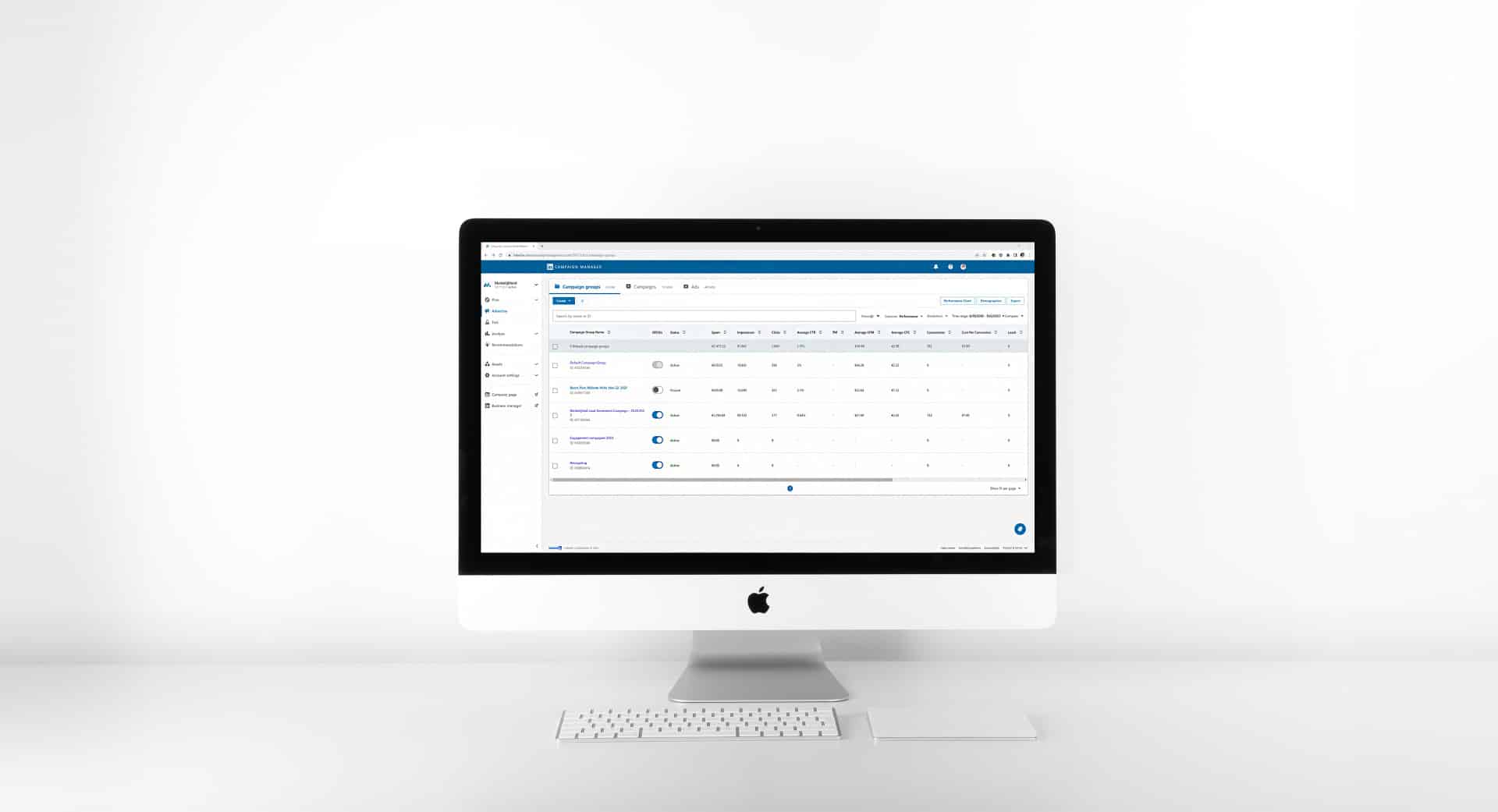
Curious about how to start advertising on LinkedIn? In this article, we cover everything you need to know. We’ll explain the steps to launch your first LinkedIn campaign, the various advertising options available, what to keep in mind, and, finally, how to optimize your results.
To start from the beginning: if you want to advertise on LinkedIn, you need a company page and an ad account. The latter must be linked to a valid payment method. Both are easily created within the platform. Once your foundation is set, you can begin building your first campaign. In this article, we’ll guide you through:
 Ideally, you already have a company page, but you might not have an ad account yet. Fortunately, setting one up is simple. Open LinkedIn and click the nine dots in the top right corner labeled “For Business.” This opens a menu where you will find the “Advertise” option. Clicking this will open a new tab: LinkedIn Campaign Manager.
Look for the blue button in the top left to create a new account, then follow these steps:
It’s that simple. However, before you can go live, you must set up your billing. Go to “Account Settings” in your ad account, select “Billing Center,” and enter the required information.
On LinkedIn, you approach your audience proactively. Therefore, your message and how you deliver it are critical to the campaign’s success. Don’t just think about what you want to say about product X or service Y; ask yourself what will actually be interesting or valuable to your audience.
What do you want to achieve? This is the first step in building any LinkedIn campaign. Your objective also dictates which ad formats you can use. Here is a brief look at the primary objectives:
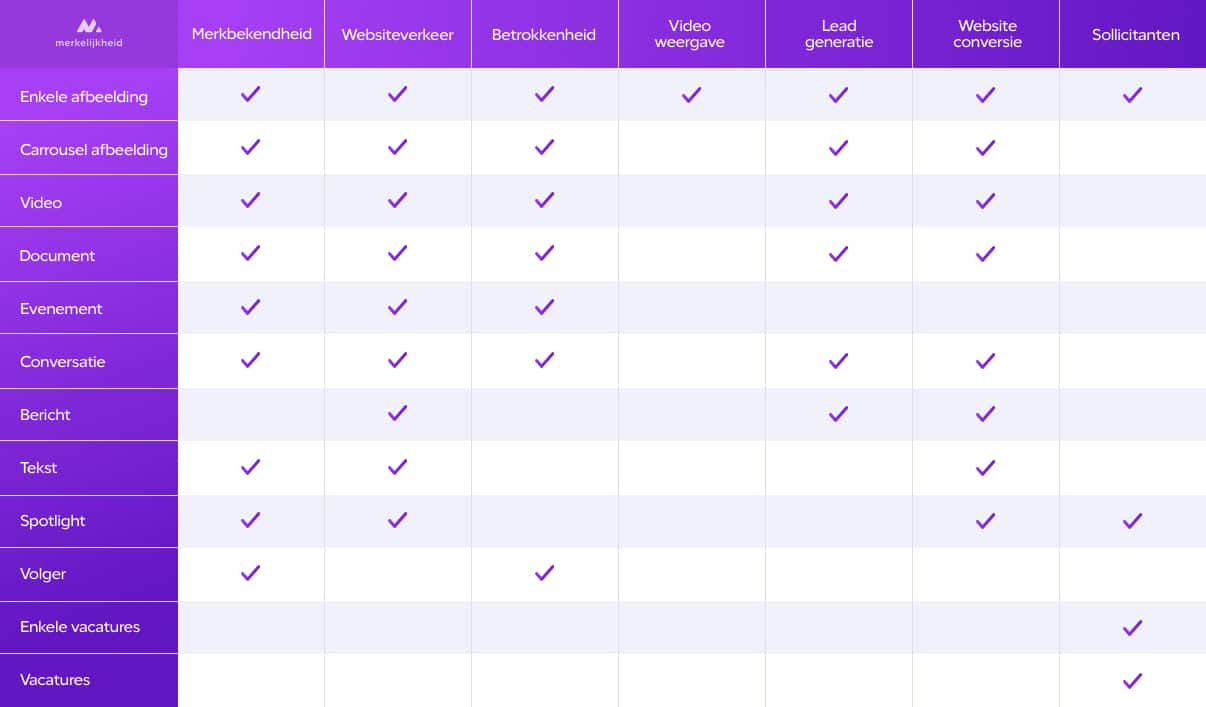
What are you telling your audience, and which assets are best suited for it? LinkedIn allows for a variety of formats, from static images and text to videos and white papers. You can drive sales by leading users to a landing page, but you can also build trust through an instructional video or a downloadable factsheet.
You are reaching out to prospects before they may even be looking for a solution. What do they need to see to find your brand memorable or valuable? Recognize that much of your audience may not know your brand yet. This is why we often recommend starting with a brand awareness campaign before moving to a lead generation push. Launching your latest product with a video before trying to drive traffic to a shop ensures the audience is “warmed up” rather than being hit cold with an offer.
Who do you want to reach? LinkedIn offers incredibly granular targeting. Beyond basic demographics like location and language, you can build audiences based on:
You can reach the same group of people in various ways, so think carefully about the shared traits of your ideal customers. You can also build retargeting audiences based on website visitors or engagement with previous campaigns, or even upload contact lists from your CRM.
How much should you spend? That depends on several factors:
While you aren’t strictly forced to match your budget to your audience size, your results will improve if you do. If your budget is too low, a large portion of your audience may never see the ad, or see it only once. Frequency is key—most people don’t remember an ad after a single exposure.
How many touchpoints are needed to deliver your message? If you’re using a video followed by a blog post and then a white paper, you’ll need three distinct campaign phases.
The more “valuable” the goal, the more expensive the campaign typically is. Awareness and engagement campaigns usually have lower costs than lead generation or website traffic campaigns. This is one reason why we often start with awareness—it’s the most cost-effective way to warm up and optimize your audience.
LinkedIn requires a minimum daily budget of €10. Duration is also vital because not every professional checks LinkedIn every day; a longer runtime ensures you reach a larger percentage of your target group.
Campaign Manager is your hub for managing accounts, building ads, and analyzing data. The dashboard is straightforward, with a left-hand menu divided into:
The LinkedIn Insight Tag is a piece of JavaScript code that bridges the gap between LinkedIn and your website. It allows you to track conversions, measure ROI, and—crucially—build retargeting audiences based on website traffic. To use these audiences, your target group must reach at least 300 people. You can install it directly into your website’s code or via a tag manager.
Once the groundwork is laid, it’s time to go live. Follow these steps in Campaign Manager:
LinkedIn usually reviews ads within an hour. Once approved, your ads will start running, and the optimization process begins.
To optimize, you’ll spend most of your time in the “Advertise” section. Here you can break down performance by engagement, delivery, or specific ad types. You can also use the demographic report to see exactly who is seeing your ads—which companies they work for, their job functions, and their experience levels.
When optimizing, focus on these questions:
These elements allow you to steer the campaign toward your desired ROI.
If you want to dive deeper into the possibilities of the platform, visit our main page on LinkedIn advertising. If you’d rather discuss the specific opportunities and challenges for your brand, we’d be happy to share our expertise in a personal consultation.
More like this
Practical benchmarks for every LinkedIn campaign type in 2025, with a year-on-year comparison showing exactly what changed.
Read more
Video CPM has tripled, but engagement has strengthened. What does that mean for video as a format in your LinkedIn strategy?
Read more
The cost per click on LinkedIn has tripled. Understanding why requires looking at two forces that moved against advertisers at the same time.
Read more